Lumiverb

Free and open source · on your own Mac or Linux server

Find any photo or video by what's in it.

Lumiverb reads the folders your photos and videos are already in and makes every one of them searchable: what's in the picture, the words in it, who's there, what's said and where it was taken. It runs on your own computer, and it never changes, moves or uploads a file.

The demo needs no account: search, browse and open anything.

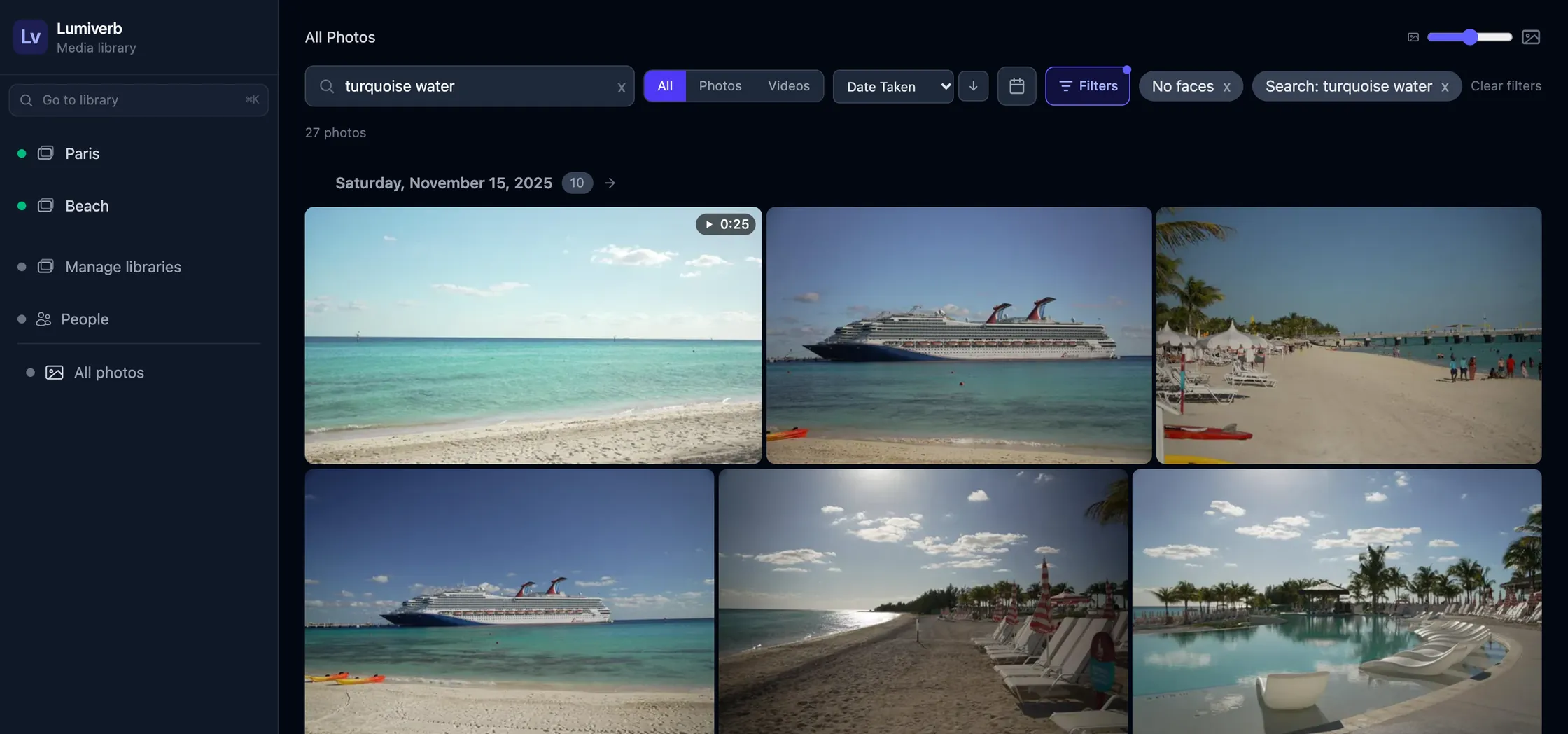
Lumiverb's web app: a search for “turquoise water” finds beach photos, a cruise ship and a video in a library.

Install

One command on a Mac, one on a Linux server. Then open it in a browser and create your account: setting up walks you through your first library.

On a Mac

With Homebrew:

brew trust --tap bubbafat/lumiverb && brew install bubbafat/lumiverb/lumiverb
brew services start lumiverb

Then open localhost:6464 on that Mac. Lumiverb brings everything it needs, its own database included, and starts again at login.

To update (it restarts itself into the new version):

brew upgrade lumiverb
On a Linux server

Ubuntu 22.04 or later, with a domain name pointing at it:

curl -fsSL https://raw.githubusercontent.com/bubbafat/lumiverb/main/scripts/deploy-vps.sh \
  | sudo bash -s -- --domain app.example.com --email you@example.com --worker

It installs everything, a certificate included. Then create your account:

sudo /opt/lumiverb/.venv/bin/lumiverb-server setup --env /etc/lumiverb/env

To update:

sudo bash /opt/lumiverb/scripts/update.sh

A server on your home network, without a domain: the Linux server guide.

Descriptions, tags and the text in photos need an AI machine: Ollama with a vision model on any computer you have, or a key from OpenAI, Anthropic or Google. Settings › AI adds one, and its Test tries it before you give it the work. Everything else, from search by what's in a picture to faces, video scenes and transcripts, runs on the server itself. Setting up Ollama.

Everything in your library, findable

Point Lumiverb at a folder. It finds every photo and video in it, keeps looking for new ones, and works through them on its own.

  • Search in your own words

    Type “sunset over the harbor” or “kids on a trampoline”. Lumiverb finds it by what's in the picture and what's written about it, and finds more like any photo you pick.

  • Descriptions and tags

    Every photo and video is described and tagged, and the words in it (signs, screens, documents) are read, by the AI machine you choose.

  • People

    Faces are found in photos and in videos. Name someone once and find every photo, and every moment of video, they're in.

  • Video, scene by scene

    Every scene is described and every word spoken is transcribed, so a search reaches inside every video, not just its name.

  • Places

    Where each shot was taken, from your camera and phone, with place names and landmarks, and a guess for a camera's shots with none from the phone photos taken at the same time.

  • Ratings, projects, sharing

    Rate and favorite, gather the best into projects, and share a project with a link anyone can open.

  • For a household or a team

    Invite people with a link. Each library can be private, or open to some as viewers, editors or admins.

  • Looks after itself

    New files are found every 15 minutes and its databases backed up every night. When something waits, it says why.

  • On any screen

    It's a web app: any browser on your network, your phone included, with HTTPS when you want it.

  • Libraries on other computers

    A computer that keeps photos of its own scans them itself and sends only previews: the originals stay where they are.

  • Fast where it can be

    It uses Apple silicon or an NVIDIA GPU where there is one, and can hand search and faces to a second machine.

  • Plug-ins

    Add what Lumiverb doesn't do yet with a plug-in, written in any language and run apart from Lumiverb itself.

Every photo, explained

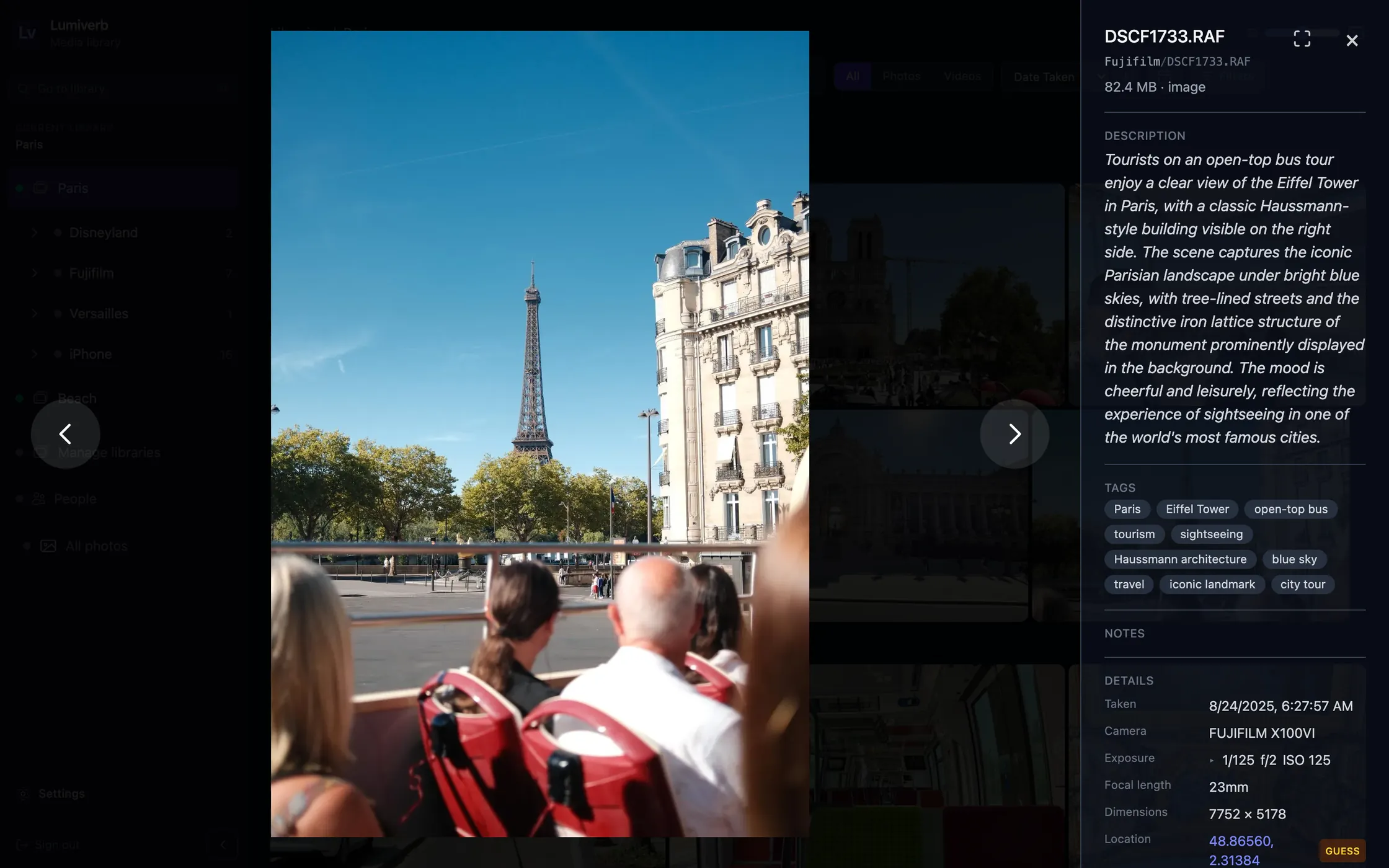
Open any photo or video to see what Lumiverb knows about it: what's in it and its tags, the camera and exposure, where it was taken and what's nearby.

Write your own description, tags or location where you know better: what a person writes is never written over by what's made for them.

A photo of the Eiffel Tower from an open-top bus, open in Lumiverb beside its description, tags, camera, exposure and location.

In your pocket

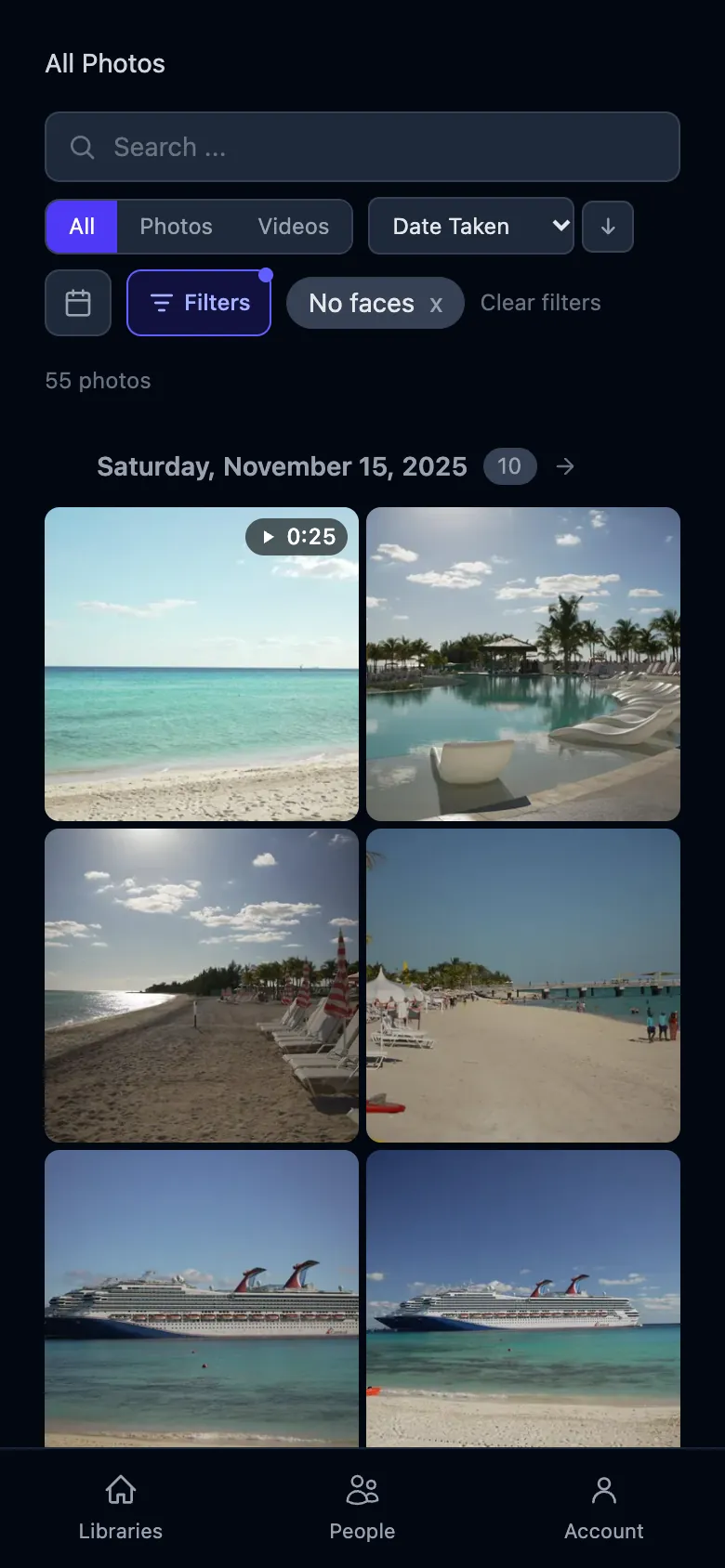
The same library on your phone: search, browse, people and projects, in the browser you already have. Nothing to install on it.

Turn on network access in Settings, and your library is there for everyone you've invited, in the house or over HTTPS.

Lumiverb on a phone: a library's photos in a grid, with search and filters above.

Your files stay yours

  • Read in place

    Lumiverb reads your folders and never changes, moves or deletes a file in them. Its previews and everything it learns are kept apart, and backed up every night.

  • Nothing leaves

    Your library lives on your machine. Pictures go to an AI machine only if you set one up, and only to the one you choose: Ollama keeps it all at home.

  • No account with us

    No cloud service, no telemetry, nothing to sign up for. It's MIT licensed: every line is on GitHub.

Photos
JPEG, PNG, WebP, BMP, TIFF, DNG; Canon CR2, CR3, CRW; Nikon NEF, NRW; Sony ARW, SR2, SRF; Fujifilm RAF; Olympus ORF; Panasonic RW2, RAW; Leica RWL
Videos
MP4, MOV, MKV
Runs on
A Mac with Homebrew, or Ubuntu 22.04 or later with 4 GB of memory or more

See it for yourself

The demo is a real Lumiverb with two small libraries, open to anyone as a viewer.